S3 Request Rate Limits and Prefix Sharding
Understanding partition keys, not folder paths, is the real key to avoiding S3 throttling.
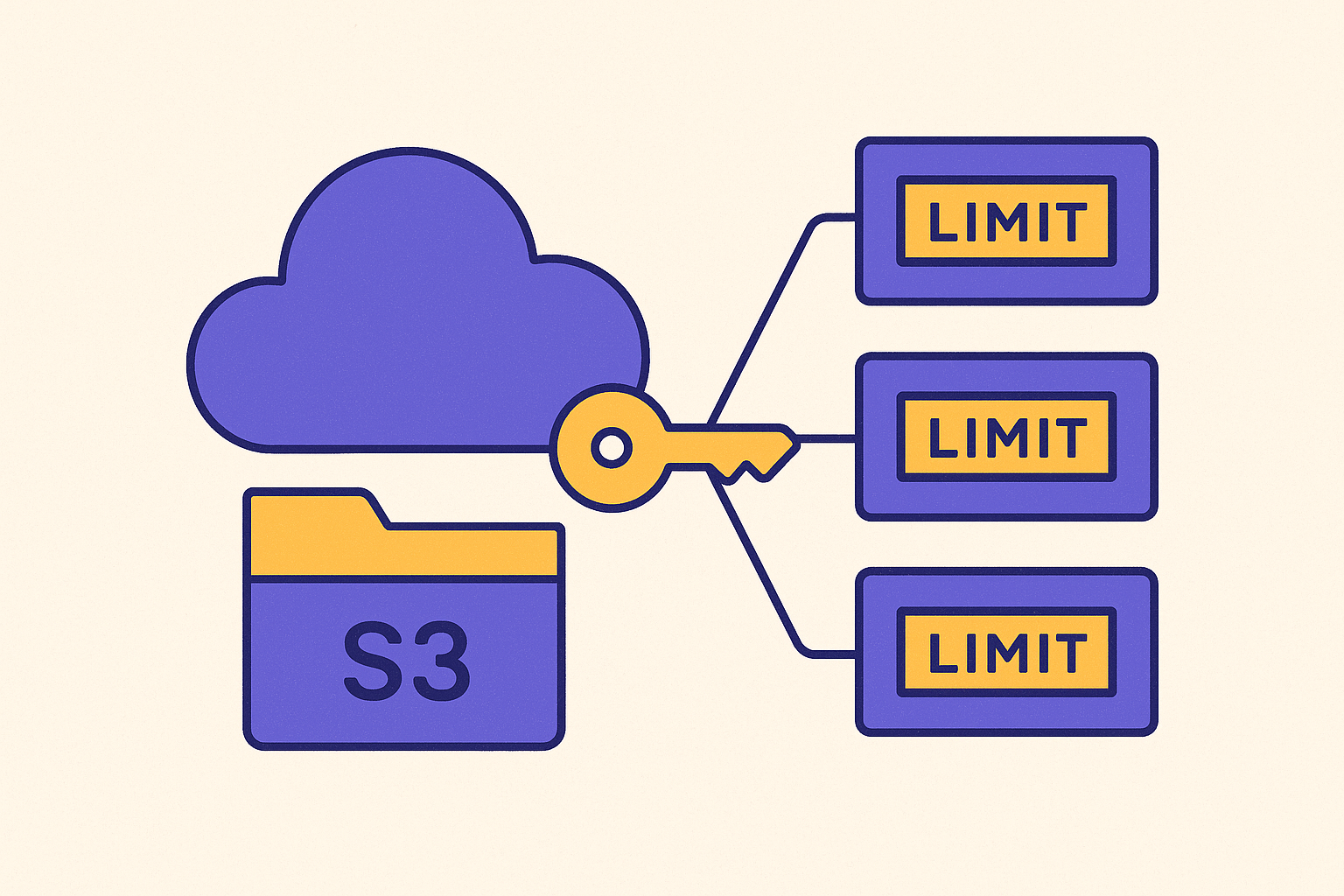
S3 request rate limits apply per internal partition, not per bucket, and not per folder-looking path. That single fact resolves most of the confusion engineers run into when they hit a wall of 503 errors. AWS documentation puts the baseline at several thousand PUT, COPY, POST, or DELETE requests per second per partitioned prefix, and 5,500 GET or HEAD requests per second per partitioned prefix, with no limit on how many prefixes a bucket can have.
The catch sits in that word "prefix." In everyday S3 talk, a prefix usually means a slash-delimited chunk of a path, something like images/2024/ that looks and acts like a folder. In the rate-limit context, a prefix means something else entirely: it's S3's internal partition key, a shard boundary that S3 itself draws. The developer doesn't pick it. S3 does.
Hold both meanings in your head at once, because the rest of this piece depends on it. The folder-looking prefix is a naming convention for humans. The rate-limit prefix is an invisible line S3 draws through your key space to manage load, and the two don't have to line up at all.
When traffic to a given partition crosses its threshold, S3 answers with a 503 Slow Down response. That response is the only real-time signal available that a partition boundary has been hit. The correct response, under S3's documented rate-limit profile, is exponential backoff with jitter, not an immediate hammer-retry that adds more requests to an already overloaded partition.
How S3 decides where to cut a partition
S3 partitions keys automatically, reactively, and without asking permission. It treats the forward slash as just another character in the string, with zero special meaning for how it splits load.
Analysis from Earthmover on S3 partitioning behavior shows that S3 can draw a shard boundary anywhere in a key, including in the middle of what looks like a single word, not just at slash edges. That behavior has been in place since at least 2018. Before that, partition boundaries were limited to the first few characters of a key, a much blunter mechanism. The current system is far more flexible, and also far more opaque: S3 doesn't publish the exact algorithm it uses to decide where a cut happens. Developers see the outcome, not the logic.
Partitioning doesn't happen in advance. It's reactive and gradual. When requests to a given slice of the key space climb past what a single partition can handle, S3 detects the load and splits that partition into additional shards behind the scenes. AWS documentation states that this scaling takes time and isn't instant, and 503s appear during that ramp-up window even when the long-term design is sound. There's no button to push that tells S3 "shard this now." A developer can't trigger pre-partitioning directly, though AWS Support can pre-provision partitions for a prefix on request.
What a developer can actually control is the shape of the keys themselves. Give S3's splitting algorithm something to work with: spread the lexicographic range across the left side of the key, and S3 has room to cut wherever the load demands it. Sequential keys, like timestamps or incrementing integers, do the opposite. They pile all the recent, high-traffic writes into a narrow lexicographic band, leaving S3 almost nowhere to make a useful cut. That's the exact design flaw that prefix sharding exists to fix.
Key layout patterns that give S3's auto-partitioner room to work
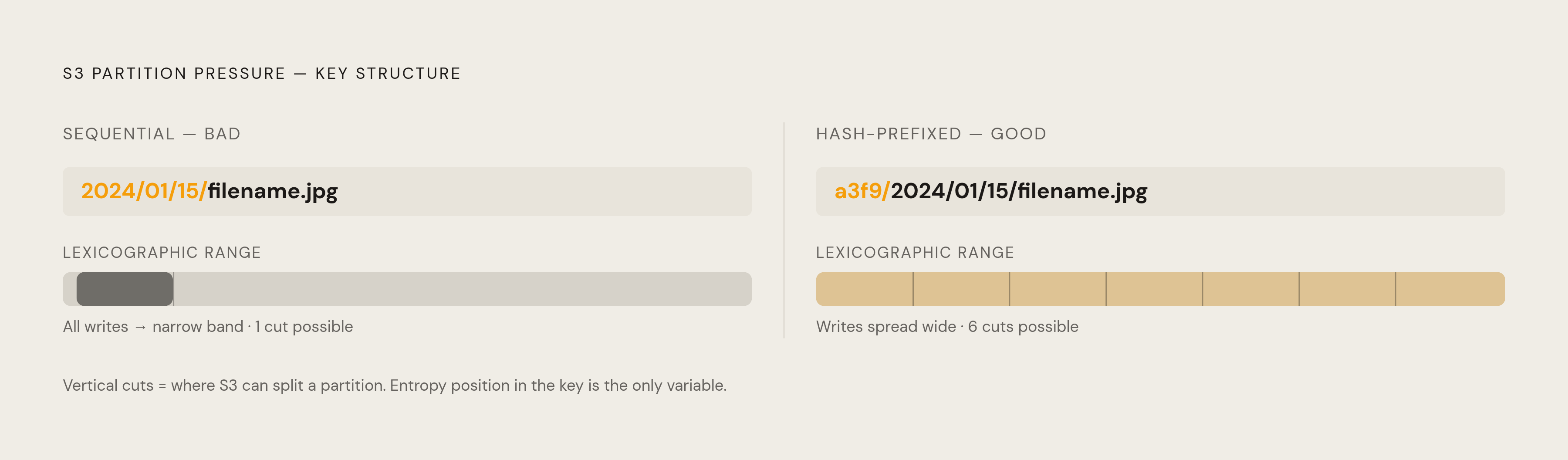
The goal of prefix sharding was never to build folder structures that look tidy in a console. Scattering entropy across the leftmost characters of the key gives S3's auto-partitioner multiple places to split the load.
The standard way to do that is to prepend a random or hash-derived string to the front of a logical key. A guide from OneUptime walks through the hash-based version in Python: take the first few characters of an MD5 hash of the logical key, and stick them on the front, producing a prefix that's consistent for that key every time but spread wide across the bucket. The length of that hash chunk matters. Two hex characters give a few hundred distinct prefixes. Four give tens of thousands. Which one you need depends on the peak request rate the workload is actually going to throw at S3, not on a round number that felt safe in a planning meeting.
There's a tradeoff between random prefixes and hash-derived ones worth sorting out before picking one. Fully random prefixes are simple to generate, but they break idempotent writes, since the same logical object can end up under a different prefix on retry. Hash-based prefixes solve that: the same input always produces the same hash, so the key stays stable across retries while still getting the spread S3 needs.
Time-series and log data need a deliberate fix, because their natural structure, built from dates and timestamps, produces exactly the sequential lexicographic pile-up that causes trouble. The fix is to put the hash or shard token in front of the timestamp: a key shaped like [hash]/[timestamp]/[filename]. OneUptime's guide notes that this kind of layout spreads data across prefixes naturally as time passes, instead of concentrating every new write at the trailing edge of one partition.
One more thing matters once the layout is right: how fast traffic ramps up against it. Because S3's partitioning only reacts to load it's already seeing, throwing peak traffic at a brand-new prefix on day one will produce 503s even if the key design is perfect. Starting at a lower rate and increasing it gradually gives S3 time to split proactively, instead of playing catch-up while your requests bounce.
Where wholesale sharding breaks things
Prefix sharding solves a specific, narrow problem. Treating it as a bucket-wide policy creates a different, often worse one.
Slapping a hash prefix on every single key in a bucket, regardless of whether that key was ever part of a hot path, destroys the lexicographic locality that a lot of S3-adjacent tooling quietly depends on, things like ordered listings, range scans, and date-based queries. The cost of breaking that locality across an entire bucket frequently outweighs the throttling it was supposed to prevent. You end up trading one performance problem for a different, structural one.
The right scope for prefix sharding is the hot prefix, or the small set of hot prefixes, that's actually generating 503s, not the whole namespace. CloudWatch request metrics and S3 access logs are the tools for finding which prefixes are under real load. Sharding belongs there, applied surgically, not sprayed across every object an application ever writes.
A second, quieter failure mode occurs when a team shards writes carefully but leaves reads alone, or the reverse. If one side of the request mix is still funneling through a narrow, sequential key range, that side will keep throttling no matter how well-designed the other side is. Prefix sharding only works when it's applied to whichever access pattern is actually generating the load, read or write, and sometimes that means doing the work twice.
Why ML training pipelines hit prefix limits hardest
Machine learning training pipelines that pull large numbers of small files from S3 run into prefix throttling harder and more often than almost any other workload, because they combine two things that are individually bad and genuinely painful together: a very high request rate, and a per-request cost that doesn't shrink no matter how small the file is.
AWS's own analysis of ML data loading lays out why. Every S3 GET request carries a time-to-first-byte overhead that's mostly fixed, regardless of the object's size: connection setup, the network round trip, S3's internal bookkeeping, and the client-side handling on the receiving end all take roughly the same amount of time whether the file is small or considerably larger. For small files, the actual data transfer barely registers against that fixed cost. The dataloader ends up bound by latency, not bandwidth. More files per second doesn't help if each one still has to pay that same entry fee.
Throttling turns this from an inefficiency into a pile-up. A single 503 retry doesn't just cost one request's worth of time. It stalls the dataloader thread handling that request, and that stall ripples straight back to the GPU sitting idle, waiting for data it hasn't received yet.
GPU idle time caused by storage waiting on I/O is one of the most expensive failure modes in cloud ML infrastructure, for a blunt reason: the compute bill keeps running whether the GPU is crunching numbers or sitting there twiddling its thumbs. AWS's analysis frames this as data starvation, the point where throwing more powerful (and more expensive) compute hardware at the problem delivers diminishing returns, because the hardware was never the bottleneck.
This structural issue is visible outside training pipelines too. AWS's Athena documentation confirms that scanning millions of small objects in a single query is likely to trigger S3 throttling, which is the same underlying mismatch, just wearing an analytics costume instead of a training one.
Data layout and client choices that reduce per-request overhead in training workloads
Spreading small files across more prefixes helps with throttling, but it doesn't touch the fixed per-request overhead that's actually dragging down a training pipeline. Consolidating files into larger shards and reading them sequentially attacks that fixed cost directly.
AWS benchmarked this on a computer vision task, running image classification against tens of thousands of small JPEG files. Consolidating the dataset into shards sized between 100 MB and 1 GB, combined with sequential access, delivered significantly higher throughput than pulling individual small files one at a time. The logic is straightforward once you see it: a single sequential GET against a large shard pays that fixed time-to-first-byte cost exactly once, then streams the rest of the data essentially for free, spreading the overhead across hundreds or thousands of training samples.
Byte-range GETs that jump around inside a large file don't get this benefit. Jumping to arbitrary offsets recreates the same random-access penalty that plagued the small-file approach in the first place, just inside a bigger container. Sequential iteration through the shard, start to finish, is what makes the consolidation pay off.
Client choice matters here too. Among the clients AWS benchmarked, the Amazon S3 Connector for PyTorch consistently produced the highest throughput in that evaluation. Mountpoint for Amazon S3 was also part of the test. The benchmark reflects one evaluation run on one computer vision workload, published recently, and workload-specific results can shift as both the clients and the underlying service keep evolving. Treat it as a strong data point for similar small-file, high-volume training setups, not a permanent league table.
S3 Express One Zone and the partitioning problem
There's a version of S3 where most of this prefix-design work becomes unnecessary, because the rate-limit math changes shape. S3 Express One Zone runs under a fundamentally different request-rate regime than S3 Standard, and for workloads that can move to it, prefix sharding mostly stops being a concern.
The S3 rate-limit profile puts Express One Zone's per-bucket limits in the millions of requests per second. Compare that to Standard's 5,500 GET or HEAD requests per second per partition: it's a different order of magnitude, not an incremental bump. A workload that would need careful hash-prefix design and gradual ramp-up under Standard can often run on Express One Zone without touching key layout.
Availability has been widening too. An AWS announcement from September 2026 confirmed Express One Zone expanding into 7 additional regions, including Singapore, São Paulo, and Paris, putting it within reach of more teams than it was at launch.
None of that comes free. Express One Zone carries a storage and request price premium over Standard, and it comes with its own architectural constraints that need checking against the workload before committing to it. The premium makes sense when GPU idle time from storage I/O wait is the demonstrated bottleneck, the kind of cost that's visible on a training bill every single run. For workloads where that bottleneck doesn't exist, the careful prefix design covered earlier remains the more sensible investment.